Prezzi bassi sono una nostra garanzia . Se entro 48 ore, trovi un prezzo più conveniente per lo stesso corso di lingua, ti sarà restituita la differenza. Mostra dettagli
Oxford College of Education Bridge House, 56 Bridge St, High Wycombe, High Wycombe, Buckinghamshire HP11 2EL, UK
L'orario scolastico potrebbe variare secondo disponibilià e stagione.
Descrizione del corso
(Translated by Google Translate)
Microsoft Excel Certification Level 3
Please Note: This course uses the Windows version of Microsoft Office 2016. Any other versions will have some differences in the functions.
The Microsoft (MS) Excel Certification Level 3 Course is the most comprehensive of the three Excel courses presented here. If a team member has successfully completed the Level 1 and Level 2 courses, they will be fully prepared to start the Level 3 course.
Formulae or functions are what advanced users of Excel want from this tool. When you use formulae, not only can you see the data that you require for your work, you can also analyse it and get answers to complex questions.
Although anyone with some Excel knowledge can use formulae, such as SUM, a user who has the advanced Excel skills presented in this course will use other formulae, both alone and combined, such as MATCH, INDEX, DSUM and VLOOKUP.
In addition to knowing and using these formulae, an advanced user of Excel knows how to debug these formulae, how to audit them and how to choose the perfect formula for the particular task to be carried out.
What’s Covered in the Course?
Any staff member choosing to study this course can expect to gain the following skills:
How to set A Password to an Excel document;
VLOOKUP Advanced formula options and manipulations;
Other advanced functions: OR, AND, CHOOSE, INDIRECT, REPLACE, LEN, LEFT, FIND;
Functions of CEILING, CORREL, DATEDIF, DATEVALUE, DAVERAGE and EDATE;
Colouring a column and row with a formula;
Highlighting a cell with a formula;
Functions of ISODD, ISNUMBER, ISTEXT, ISLOGICAL, ISNONTEXT, ISERR and ISBLANK;
Functions of DGET, DMAX, DPRODUCT, DCOUNTA, DCOUNT and DSUM;
How to calculate depreciation in Excel, including SLN depreciation and SYD depreciation;
Calculating loan IPMT and EMI;
Functions of DATEDIF, DATEVALUE, EDATE, EOMONTH, MATCH and INDEX;
Full explanation of the INDEX and MATCH functions;
Looking up data;
Selecting only cells containing comments;
Hiding formulae;
Automatically inserting serial numbers;
The employee will also learn about calculating depreciation, calculating interest and calculating IPMT and EMI for loans, all by using Excel functions.
The course features information on INDEX and MATCH functions, which is important in certain industries and roles. It also shows learners how to use the CHOOSE formula and how to create special charts.
What are the Benefits of the Course?
Upon completion of the Level 3 course, the employee will have access to the full functionality of Excel and will know how to use all of its formulae, functions and capabilities;
The Level 3 Excel course is designed for ‘power’ users, but not only for programmers and those interested in financial modelling;
Competent Excel users add huge value to an organisation, through advanced data analysis.
Modules
Module 1: Add a Password
Module 2 : AND Function
Module 3 : Auto Updating Drop-down Lists
Module 4 : CEILING Formula
Module 5 : Charts that Update Automatically
Module 6 : CHOOSE Formula
Module 7 : Compare 2 Lists with VLOOKUP Function
Module 8 : CORREL Function
Module 9 : Create an Advanced Calculator
Module 10 : Create a Combo Chart
Module 11 : Create a Custom Tab
Module 12 : Create a Pivot Chart
Module 13 : Create Visual In-cell Indicators
Module 14 : Create Visual In-cell Indicators with Icon Sets
Module 15: Customise the Status Bar
Module 16: DATEDIF Function
Module 17: DATEVALUE Function
Module 18: DAVERAGE Function
Module 19 : DCOUNT Function
Module 20 : DCOUNTA Function
Module 21 : Depreciation Formula
Module 22 : DGET Function
Module 23 : DMAX Function
Module 24 : DPRODUCT
Module 25: DSUM Function
Module 26: EDATE Function
Module 27: EOMONTH Function
Module 28: Find and Replace
Module 29: FIND Function
Module 30: INDEX Function
Module 31: INDEX MATCH Function
Module 32: INDIRECT Function
Module 33: Insert Serial Number Automatically
Module 34: IPMT Function
Module 35: ISBLANK Function
Module 36: ISERR Function
Module 37: ISLOGICAL Function
Module 38: ISNONTEXT Function
Module 39: ISNUMBER Function
Module 40: ISODD Function
Module 41: Isolate First Name
Module 42: ISTEXT Formula
Module 43: LEFT Function
Module 44: LEN Function
Module 45: MATCH Function
Module 46: VLOOKUP Multiple Results at Once
Module 47: OR Function
Module 48: PMT Function
Module 49: REPLACE Function
Module 50: Select all Cells with Comments
Module 51: Sparkline Charts in Excel
Module 52: Straight Line Depreciation
Module 53: Strikethrough
Module 54: Sum of Years Depreciation
Module 55: Timeline in Pivot Table
Module 56: VLOOKUP with 2 Criteria
Module 57: VLOOKUP with DropDown List
Module 58: VLOOKUP with MAX
Module 59: VLOOKUP with MIN
Module 60: Watch Window In Excel
Livello della classe
Tutti i livelli, da principiante ad avanzato
Sarai sottoposto ad un test d'ingresso il tuo primo giorno per determinare il tuo livello. Puoi anche fare l'essame' prima da arrivare a High Wycombe.
Numero di studenti per classe
Media
12 studenti
Massimo
15 studenti
Età dello studente
Fascia d'età
16 - 35 anni di età
Media
19 anni di età
Attestato
Un attestato di frequenza e completamento sarà rilasciato a fine corso.
Leggi ancora...
school
Descrizione della scuola
OCE si trova nel cuore del High Wycombe ed è una delle scuole preferite in Inghilterra. La scuola specializza nell'insegnamento di Inglese a studenti stranieri come te. Il numero degli studenti nelle loro classi è anche molto più ristretto rispetto ad altre scuole. Loro hanno anche simpatici insegnanti e componenti del personale che si prenderanno cura di te mentre sei a High Wycombe.
Anno di fondazione
2017
Numero di aule
6
Accrediti
Strutture
Biblioteca
Ascensori
Accesso disabili
Pranzo
Free internet
Wireless internet
Computer
Seminari dopo le lezioni
Studiare zona
Apprendimento audio
Qualifiche degli insegnanti
Oratori madrelingua Inglese
Più del 50%
Insegnanti con certificazione di insegnamento per Inglese
Più del 50%
Insegnanti con laurea unversitaria
Più del 50%
Nazionalità e combinazione di età
Le nazionalità e combinazioni di età alla Oxford College of Education variano in periodi, corsi e livelli diversi. Durante l'anno, l'età media è 19. In estate, l'età media è di 19.
Vacanze scolastiche
OCE insegna agli studenti provenienti da tutto il mondo, tra cui:
Date aperte
tutto l'anno
Vacanze scolastiche
Nessuno
Leggi ancora...
photos
Fotografie
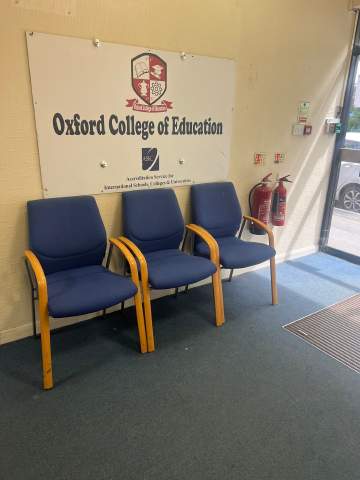
Oxford College of Education1/10
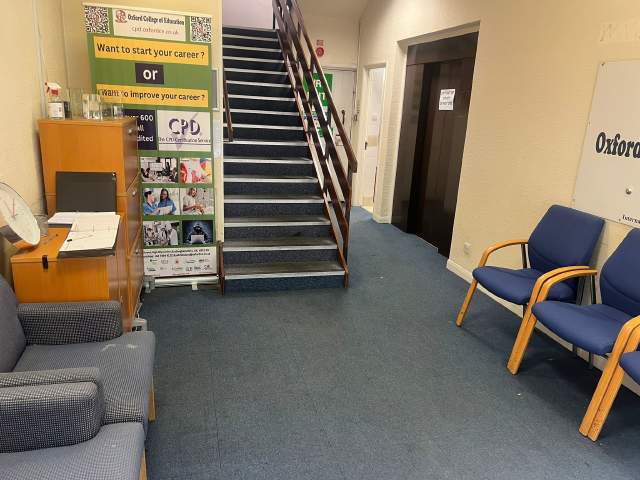
Oxford College of Education2/10
Oxford College of Education3/10
Oxford College of Education4/10
Oxford College of Education5/10
Oxford College of Education6/10
Oxford College of Education7/10
Oxford College of Education8/10
Oxford College of Education9/10
Oxford College of Education10/10
visa
Supporto per il visto
Non possiamo richiedere visti a nome e per gli studenti. Comunque, la scuola può fornirti la documentazione completa che ti serve per fare domanda di visto.
Se studierai nel Regno Unito per oltre 11 mesi, riceverai un numero di riferimento chiamato Confirmation of Acceptance for Studies (CAS) da consegnare all'ambasciata del Regno Unito con la domanda del visto (General Student Visa). Gli studenti che hanno prenotato il corso di lingua e pagato le tariffe riceveranno un CAS dalla OCE. Si prega di notare che la legge del Regno Unito dichiara che un CAS può essere rilasciato solo a studenti che studiano Inglese per oltre 11 mesi.
Se dovrai studiare nel Regno Unito per 11 mesi o meno, devi fare domanda per un visto speciale chiamato Visto Studente Visitatore. Da studente visitatore non puoi lavorare part-time durante gli studi. Se intendi studiare nel Regno Unito per 11 mesi o meno, riceverai una lettera di accettazione al tuo indirizzo personale tramite posta ordinario a carico del mittente.
Please note that we do not book flights for our students. If you are researching airfare costs, we recommend using Kayak.com, a search engine that lets you compare flight options from your home country to High Wycombe based on your budget, schedule and preferences.
Assicurazione di viaggio
Studiare all'estero senza preoccupazione con le coperture assicurative su salute ed effetti personali di Language International. Quando prenoti un corso con noi, puoi decidere di acquistare un piano di assicurazione internazionale che copre non solo la cura della tua salute ma anche la perdita o smarrimento dei tuoi effetti personali. Devi prenotare in anticipo la tua assicurazione al momento della registrazione.